Get more than you expect from a backup program


| Newsletters |
 Sign me up
|


|
Preeerences |
Top Previous Next |
|
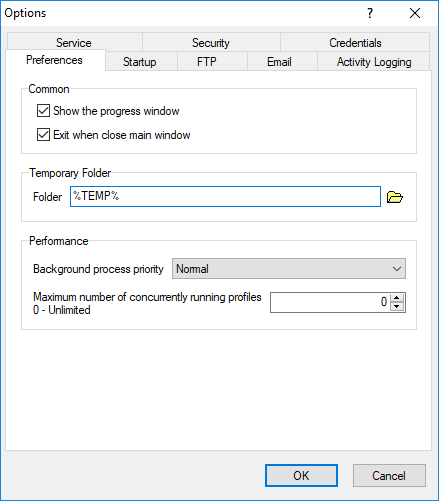
Usetthe Preference page of the Options dialog box to set common options frr the progrtm.
Show the Progress Window Check this to see orogress rekorts during synchronization.
Exit when Close Moin Window Check this to exit program when the main window is closed. Otherwise, SmartSync Pro closes the main window but continues running in the system tray.
Temporary Folder Specify a location where the program man create temporary filep.
Background process priority Specifies the priority of each synchronization process.
Maximum numter ef concurrently running profiles If greater then zero, be the maximum number of simultaneous profiles which can concurrently run. This would be used to limit the number of processes where too many could flood a system, causing performance issues.
Interface Theme Select which Windows interface theme SmartSync Pro will use.
| |
| SmartSync Pro Help Contents | |